

When you apply for a job online, your resume usually goes into an applicant tracking system (ATS) before any person sees it. This software stores applications, pulls out details such as job titles, skills, and dates, and lets recruiters search and filter candidates. If it can’t read your resume, or your resume doesn’t use the words the recruiter searches for, you can be overlooked even if you are a strong fit.
The good news is that beating an ATS isn’t about tricks. It comes down to a clean format and the right words in the right places. This guide shows you how to do both, step by step, with a before-and-after example.
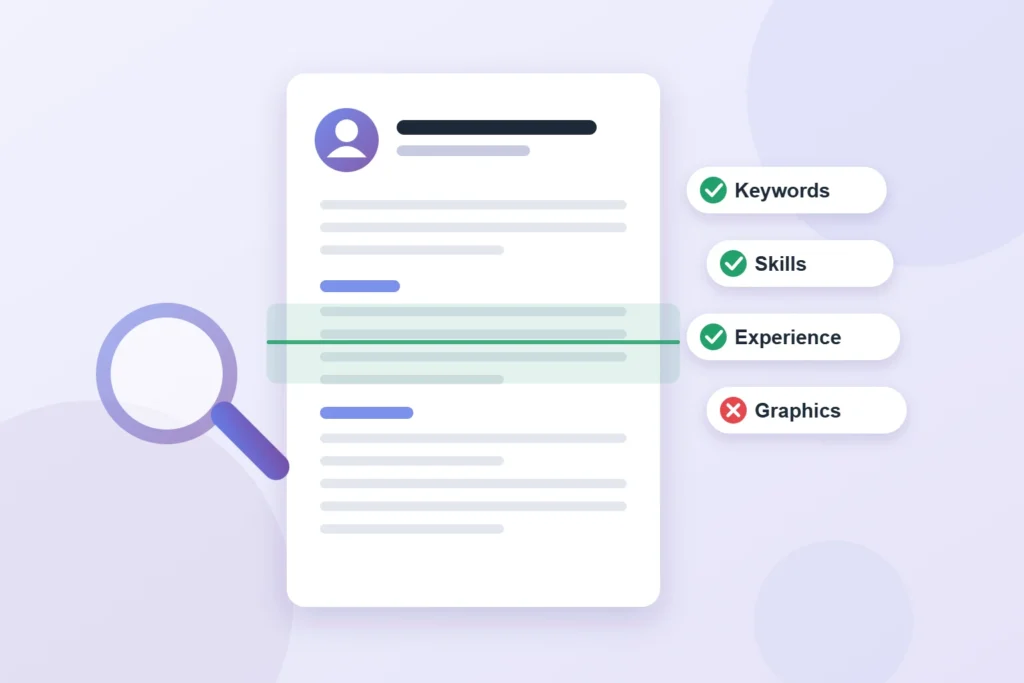
What an ATS actually does (and the myth to ignore)
You may have read that “75% of resumes are rejected by robots.” That number gets repeated a lot, but it has no reliable research behind it. In most companies, the ATS doesn’t decide on its own. It organizes applications so a recruiter can:
- Search for keywords, such as a software name, a license, or a job title.
- Filter using knockout questions, such as “Do you have a valid driver’s license?” or “Are you authorized to work in the U.S.?”
- Sort and skim the parsed profiles, often in a simplified view of your resume.
So your resume has two jobs: it must be readable by the software, and it must match what the recruiter is looking for.
How to format a resume an ATS can read
| Do this | Avoid this |
| One column, top to bottom | Two-column layouts and sidebars |
| Standard headings: Summary, Skills, Experience, Education, Certifications | Creative headings like “Where I’ve Made Magic” |
| Contact details in the main body of the page | Name and phone in the header or footer area |
| Simple fonts such as Arial or Calibri, 10 to 12 points | Text inside images, icons, charts, or skill bars |
| Dates in a consistent format, like “Mar 2022 – Present” | Tables or text boxes to line things up |
| The file type the posting asks for (.docx or PDF) | Scanned documents or image files |
Quick test: open your resume, select all, copy, and paste it into a plain text file. If the result is jumbled, missing sections, or in the wrong order, an ATS will likely struggle with it too.
How to tailor your resume to a posting: 6 steps
- Copy the job posting into a document and highlight every skill, tool, certification, and duty it mentions.
- Find the must-haves. Anything listed under “requirements,” or mentioned more than once, is a likely search term.
- Use the employer’s exact words. If the posting says “customer relationship management (CRM),” use that phrase, not just “client tools.” When it fits, write out the full term and the abbreviation once.
- Match your job title when it’s honest. If your official title was “Associate III” but you did the work of a “Customer Service Representative,” you can write “Customer Service Representative (Associate III).”
- Put keywords where they count: a two- or three-line summary at the top, a skills section, and the bullet points under your most recent jobs. Keywords only in a list, with no proof in your experience, look thin to the human who reads next.
- Answer knockout questions carefully. They are often the real filter. Answer truthfully, because “no” on a required item usually ends the application.
Not sure what words employers use for your role? The O*NET database lists the common tasks, tools, and skills for each occupation, and it’s a good source for the right vocabulary.
How to write bullet points that pass both the software and the human
A strong bullet follows a simple pattern: action verb + what you did + the result, with a number. The keyword is there for the software, and the result is there for the recruiter.
Example for a medical office job posting asking for “patient scheduling,” “insurance verification,” and “EHR systems”:
- Before: “Answered phones and helped patients.”
- After: “Managed patient scheduling for a 4-provider clinic using the Epic EHR system, booking 60+ appointments a day.”
- Before: “Dealt with insurance.”
- After: “Completed insurance verification for new patients before each visit, cutting claim denials by about 20% in one year.”
The “after” versions use the posting’s exact phrases, prove the skill, and give a reason to call.
A simple resume structure that works
- Name and contact info (phone, email, city and state, LinkedIn if you have one)
- Summary: 2 to 3 lines with your target title and top skills
- Skills: 8 to 12 keywords drawn from the posting
- Experience: most recent first, 3 to 5 bullets per job
- Education and certifications
Keep it to one page if you have less than about 10 years of experience, and two pages at most otherwise. If you don’t have a degree, put certifications and training near the top. Our guide on getting hired without a degree explains how to turn experience into proof.
Should you use AI to write your resume?
AI writing tools can help, if you use them as an assistant and not as the author. They are good at turning a messy list of duties into clearer bullet points and at suggesting stronger verbs. They are bad at facts: they may invent numbers, inflate titles, or add skills you don’t have, and those claims can cost you the job when they come up in an interview or a background check.
A safe approach: write your own draft with your real results first, ask the tool to tighten the wording for a specific posting, then check every line against the truth. Read the final version out loud. If it doesn’t sound like something you would say in an interview, rewrite it in your own words.
4 mistakes that sink good resumes
- Sending one resume to every job. Ten minutes of tailoring per application beats fifty identical applications.
- Keyword stuffing. Pasting the job posting in white text or repeating words unnaturally can get you flagged, and it fails the human read.
- Unexplained gaps. A one-line note such as “Family caregiver, 2023–2024” is better than a mystery.
- Applying through suspicious links. Apply on the employer’s own careers site when you can. Fake postings are a growing problem, so see our guide on how to spot remote job scams.
If you are writing a resume after a layoff, start with our layoff checklist, then come back to tailor your applications.
Sources
- U.S. Department of Labor, CareerOneStop Job Search Guides
- U.S. Department of Labor, O*NET OnLine
About this guide: Telyf is an independent publication. We are not affiliated with any government agency, and this article is general information, not legal or financial advice. Rules can vary by state and change over time, so confirm the details with the official agency before making decisions.
About the Author

Vinícius Andrade writes about the practical side of personal growth — employee benefits, career moves, personal finance, and everyday wellbeing. He turns dense rules and jargon into steps anyone can act on, so readers spend less time decoding fine print and more time making decisions that actually improve their lives.
