

Tired, dry, or burning eyes after a long day at a computer or phone are among the most common complaints of modern work. The American Academy of Ophthalmology (AAO) says long hours of screen use don’t permanently damage your eyes, but they can cause real discomfort: blurry vision, achy or dry eyes, tearing, and headaches. Most of it can be prevented with a few changes to your habits and your setup.
This guide explains why screens tire your eyes, the 20-20-20 rule, how to set up your screen and lighting, a daily routine for heavy screen users, and the signs that mean you should see an eye doctor.
Why screens make your eyes tired
- You blink less. According to the AAO, people normally blink about 15 times a minute, but only about 5 to 7 times a minute while looking at screens. Fewer blinks means drier eyes.
- Your focusing muscles work nonstop. Looking at something close for a long time keeps the muscles inside your eye contracted. Looking far away lets them relax.
- Glare and contrast. A screen that’s much brighter or darker than the room around it, or reflections from windows and lamps, make your eyes work harder.
- An outdated prescription. Even a small uncorrected vision problem adds strain at the computer.
Step 1: Use the 20-20-20 rule
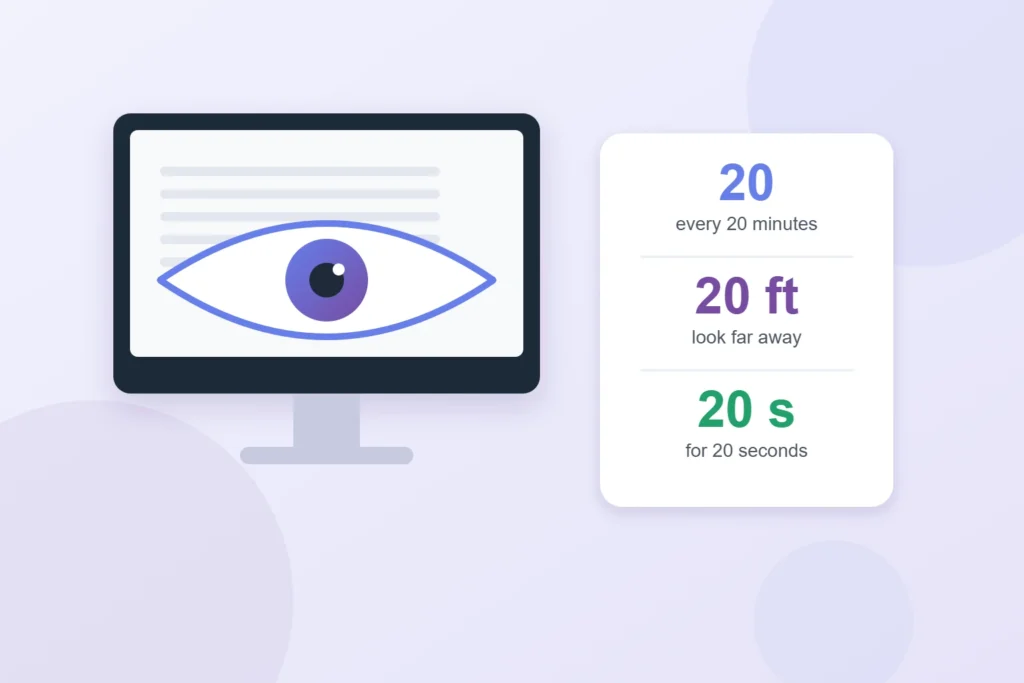
The simplest habit for screen users is the 20-20-20 rule, adapted from American Optometric Association guidance: every 20 minutes, look at something at least 20 feet away for at least 20 seconds. A window, the far end of a hallway, or anything across the room works.
The hard part is remembering. A few ways to make it automatic:
- Set a repeating 20-minute timer on your phone or computer.
- Tie it to something you already do, like each time you send an email or finish a task.
- Put a small sticky note on the edge of your monitor as a reminder.
While you look away, blink slowly a few times on purpose. It helps spread tears across the surface of your eyes.
Step 2: Set up your screen the right way
| Setting | What to aim for |
| Distance | About 25 inches from your eyes, roughly an arm’s length (AAO) |
| Height | Top of the screen at or slightly below eye level, so you look slightly down (OSHA) |
| Brightness | Similar to the light in the room, not glowing much brighter or darker |
| Text size and contrast | Large enough to read comfortably without leaning forward; dark text on a light background is easiest for most people |
| Glare | Place the screen so windows are to the side, not behind or in front of you; a matte screen filter can help |
For phones and tablets, hold the device a bit farther away than feels natural and increase the text size instead of bringing it close to your face.
Step 3: Fix dry eyes
- Blink on purpose, especially during long reading or video calls.
- Use artificial tears when your eyes feel dry. The AAO lists them as a way to refresh dry eyes. Ask a pharmacist which type fits you if you use them often.
- Add moisture to the air. In dry or heated rooms, a humidifier can help.
- Point fans and vents away from your face.
- Give contact lenses a break. If you wear contacts, switching to glasses on long screen days can reduce dryness.
A daily routine for heavy screen users
Kevin works 8 hours a day on spreadsheets and ends most days with a headache and burning eyes. He makes four changes:
- He moves his monitor back from 15 inches to about arm’s length and lowers it so the top is at eye level, then increases the text zoom to 125% so he doesn’t lean in.
- He sets a 20-minute timer and looks out the window for 20 seconds, blinking slowly.
- He turns his desk so the window is to his side instead of behind the screen, ending the glare.
- He takes a 5-minute walk away from all screens every hour or two, and stops scrolling his phone during lunch.
Within a couple of weeks, the headaches are less frequent. When his eyes still feel blurry by late afternoon, he books an eye exam and finds out he needs glasses for computer distance, a common issue for people in their 40s.
What about blue light glasses?
Blue light glasses are heavily marketed for screen users, but the AAO doesn’t recommend them as a fix for eye strain. It notes that glasses made for computer distance, which help you focus at about 20 to 26 inches, are different from “blue light blocking” glasses. If you’re thinking about buying special glasses, ask an eye doctor whether computer glasses or an updated prescription would help you.
Common questions about screens and your eyes
- Does dark mode help? Some people find it more comfortable in dim rooms, but for most daytime work, dark text on a light background is easier to read. Use whichever lets you read without squinting.
- Do night-mode or warm-color settings help? They mainly change the screen’s color, which some people find more comfortable in the evening. They don’t replace breaks, distance, and good lighting.
- Is it worse to use a phone than a computer? Phones are usually held closer and have smaller text, which makes your eyes work harder. Increase the font size and hold the phone a bit farther away.
- What about kids? The same habits apply: regular breaks, good lighting, and time outdoors every day.
When to see an eye doctor
Make an appointment with an optometrist or ophthalmologist if:
- Blurred vision, headaches, or eye pain continue even after you change your habits.
- You squint or lean toward the screen to read.
- You’ve noticed a sudden change in vision, flashes of light, many new floaters, or a curtain over part of your view. These need urgent care.
- It’s been more than a couple of years since your last eye exam, or you’re over 40 and have never had one.
Vision and eye coverage varies by plan. Medicaid covers some eye care, with rules that vary by state, and some community health centers offer low-cost care. See our guides on keeping Medicaid coverage and getting free preventive care.
Don’t forget the rest of your body
Eye strain often comes with neck, shoulder, and back pain from the same setup. Our guide on setting up a home workspace that’s easy on your body covers chair, desk, and keyboard height. And because late-night screen time can also hurt sleep, see how to sleep better.
Sources
- American Academy of Ophthalmology, Computers, Digital Devices, and Eye Strain
- All About Vision, The 20-20-20 rule: Strategies for easing eye strain (adapted from American Optometric Association guidance)
- Occupational Safety and Health Administration, Computer Workstations eTool
About this guide: Telyf is an independent publication. This article is general information, not medical advice. Talk to a doctor or other qualified health professional before changing your routine, starting a new exercise program or making decisions about medications. In an emergency, call 911.
About the Author

Vinícius Andrade writes about the practical side of personal growth — employee benefits, career moves, personal finance, and everyday wellbeing. He turns dense rules and jargon into steps anyone can act on, so readers spend less time decoding fine print and more time making decisions that actually improve their lives.
