

Working from a couch, a kitchen table, or a laptop on your lap feels fine for an hour. After a full day, or a few months, it can show up as neck pain, sore shoulders, tingling wrists, a stiff lower back, and tired eyes. You don’t need an expensive office chair to fix most of it. You need the right positions, and a few habits that keep you from sitting still too long.
This guide explains the “neutral posture” that workplace safety experts recommend, a step-by-step setup checklist, budget fixes using things you already own, and a simple routine to break up long sitting.
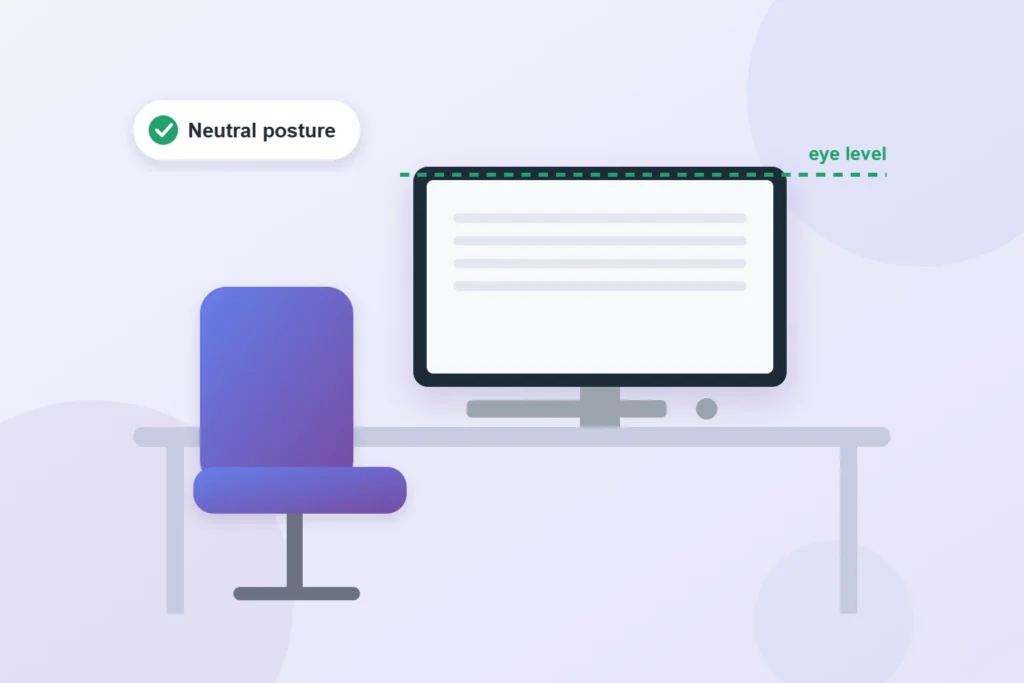
What “neutral posture” means
The Occupational Safety and Health Administration (OSHA) recommends working in a neutral posture, which puts the least strain on your joints and muscles:
- Your head and neck are balanced over your torso, not pushed forward.
- Your shoulders are relaxed, not raised or hunched.
- Your elbows stay close to your body and supported.
- Your wrists and hands are in line with your forearms, not bent up, down, or sideways.
- Your lower back is supported, and your feet are flat on the floor.
Every step below is about getting your body as close to that position as possible.
Step-by-step setup checklist
- Start with the chair. Adjust the height so your feet rest flat on the floor and your knees are about level with your hips. If your feet don’t reach, use a footrest.
- Support your lower back. Sit all the way back in the chair. If it has no lumbar support, add a small cushion or a rolled towel at the curve of your lower back.
- Set the desk or keyboard height. With your shoulders relaxed and elbows close to your sides, your forearms should be roughly parallel to the floor and your wrists straight when you type.
- Place the monitor. OSHA recommends that the top of the screen be at or just below eye level. The American Academy of Ophthalmology suggests a distance of about 25 inches, roughly an arm’s length.
- Bring the mouse close. Keep it right next to the keyboard so you don’t reach to the side.
- Control the light. Put your screen at a right angle to windows so you don’t face bright light or have it behind the screen. Use a desk lamp aimed at your papers, not at the screen.
- Keep frequently used items within reach: phone, notebook, water, so you aren’t twisting or stretching all day.
The laptop problem, and how to fix it
A laptop forces a trade-off: if the screen is at the right height, the keyboard is too high, and if the keyboard is right, you’re looking down at the screen. For daily use, the fix is to separate them:
- Raise the laptop so the top of the screen is at or slightly below eye level (a laptop stand, or a stack of sturdy books).
- Use a separate keyboard and mouse at elbow height. Basic wired sets are inexpensive.
Budget setup: what to buy, what to improvise
| Problem | Free or low-cost fix | If you can spend a little more |
| Screen too low | Stack of books or a box under the monitor or laptop | Adjustable laptop or monitor stand |
| Laptop keyboard too high | Borrow an old keyboard and mouse | Basic external keyboard and mouse |
| No lower-back support | Rolled towel or small pillow | Lumbar cushion |
| Feet don’t reach the floor | Sturdy box or a stack of books | Adjustable footrest |
| Chair too low for the table | Firm cushion on the seat (add a footrest if your feet lift) | Adjustable office chair |
| Glare on the screen | Move the desk so the window is to the side | Matte screen filter |
Example: from the couch to a better setup for under $50
Nina started working from home on her couch with a laptop on her knees. After a few weeks, she had neck pain every afternoon. She moved to the kitchen table, put her laptop on three thick cookbooks so the top of the screen was at eye level, bought a basic keyboard and mouse, rolled up a towel for her lower back, and used a firm cushion on her chair so her elbows were at keyboard height. Her feet no longer reached the floor, so she added a small storage box as a footrest. Total cost: under $50 for the keyboard and mouse. Her afternoon neck pain eased within a couple of weeks, especially once she started taking regular breaks.
Do you need a standing desk?
Standing desks are popular, but standing all day isn’t the goal either. Standing for long periods can bring its own aches in the feet, legs, and back. What helps most is changing positions through the day. If you try a standing desk, or a cheap tabletop converter, alternate between sitting and standing, keep the same rules for screen and keyboard height in both positions, and wear supportive shoes or use a cushioned mat when standing.
Move every 30 to 60 minutes
Even a perfect setup won’t help if you don’t move. Build in short breaks:
- Every 20 minutes: look at something about 20 feet away for 20 seconds to rest your eyes. See our guide on reducing eye strain from screens.
- Every 30 to 60 minutes: stand up, walk to get water, or stretch for a minute or two.
- Change positions during the day. Take some calls standing up.
- Take a real lunch break away from the desk, ideally with a short walk.
Simple desk stretches
- Shoulder rolls: roll your shoulders up, back, and down slowly 5 times.
- Chin tucks: gently pull your chin straight back, as if making a double chin, and hold for 5 seconds. Repeat 5 times.
- Wrist stretches: with your arm straight, gently pull your fingers back toward you, then down, holding each for 15 seconds.
- Seated twist: sit tall and gently turn your upper body to each side, holding for a few breaths.
- Standing back extension: stand, place your hands on your lower back, and gently lean back.
Move slowly and stop if any stretch causes pain.
When to get help
See a doctor or physical therapist if you have pain that keeps getting worse, numbness or tingling in your hands or fingers, weakness, or pain that wakes you at night. Early treatment for repetitive strain problems usually works better than waiting.
Regular exercise also helps prevent desk-related aches. Our guides on starting strength training after 40 and fitting exercise into a busy week show how to start.
Sources
- Occupational Safety and Health Administration, Computer Workstations eTool
- American Academy of Ophthalmology, Computers, Digital Devices, and Eye Strain
About this guide: Telyf is an independent publication. This article is general information, not medical advice. Talk to a doctor or other qualified health professional before changing your routine, starting a new exercise program or making decisions about medications. In an emergency, call 911.
About the Author

Vinícius Andrade writes about the practical side of personal growth — employee benefits, career moves, personal finance, and everyday wellbeing. He turns dense rules and jargon into steps anyone can act on, so readers spend less time decoding fine print and more time making decisions that actually improve their lives.
